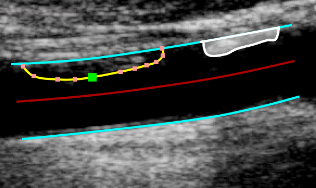
Borders and Plaques tool
This tool can be used for a quantitative analysis of the plaques. The user has to manually trace the two borders of the vessel, then the border of one or more plaques can be added.
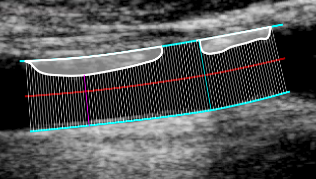
Tracing the borders
Click the Trace the borders
 button in the Setup panel.
Start tracing the first border by clicking on the image.
Move the mouse and click to add points to the borders.
Right click to end the tracing of the first border.
Start tracing the second border by clicking on the image.
Move the mouse and click to add points to the borders.
Right click to end the tracing of the second border.
Editing the borders
Hover on the border to be modified.
Click and drag one of the points of the border.
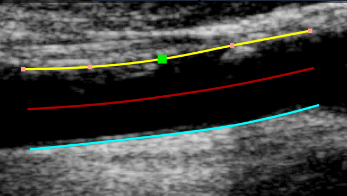
Tracing a plaque
Click the Trace the Plaques
 button in the Setup panel.
Hover on the border where the plaque is attached and click to start tracing.
Move the mouse and click to add points to the plaque.
Right click to end the tracing of the plaque.
Editing a plaque
Hover on the plaque to be modified.
Click and drag one of the points of the plaque.