Setup panel
The Setup Panel contains the commands that are used to setup the analysis. The panel is automatically shown when the analysis windows is open, and can be hidden or shown by the Show/Hide Setup Panel  button.
The Previous  and Next
  buttons can be used for the navigation into the Setup Panel.
Timeline
These commands are used to set the timeline of the examination. When working offline, the video length is shown a the total timeline must be lower than the video length.


The baseline, Ischemia (for FMD analysis only) and Vasodilation numeric controls set the timeline.
In Online analysis, the Enabled  Disabled
  acoustic alert button sets the presence of an
acoustic signal at the end of the baseline and the ischemia time interval.
acoustic alert button sets the presence of an
acoustic signal at the end of the baseline and the ischemia time interval.
B-mode image setup
B-Mode Calibration
These commands must be used to Calibrating the B-mode image.

The Trace the Line  button enables tracing the calibration line.
The drop-down menu selects the length of the line used for the calibration.
The numeric display shows the calibration value.
I f you click in the numeric display, you can manually enter the calibration value (to be used when the value is knows).
B-Mode ROI
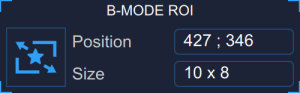
The Draw the ROI  button enables drawing the ROI.
The first numeric display shows the center position, in pixels, of the ROI.
The second numeric display shows the size (width x height), in pixels, of the ROI.
I f you click in the numeric display, you can manually enter the calibration value (to be used when the value is knows).
Doppler setup
The Doppler analysis is enabled by clicking the Doppler Enable button. 
Doppler ROI
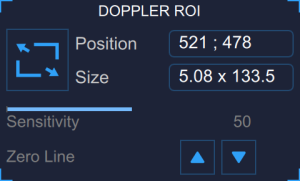
T
he Draw the ROI
button enables drawing the ROI.
The first numeric display shows the center position, in pixels, of the ROI.
The second numeric display shows the size (width x height), in pixels, of the ROI.
The slider sets the sensitivity of the Doppler analysis, which can be used to optimise the detection of the Doppler velocity waveform.
The Zero Line Move up/down 
 buttons moves up and down the zero line. These commands can be used in case the automatic detection of the zero line is not precise.
Doppler X calibration
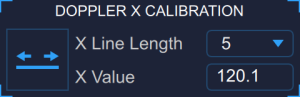
The Trace the Line [sec]  button enables tracing the x calibration line (time).
The drop-down menu selects the length of the line used for the x calibration (sec).
The numeric display shows the x-calibration value (pix/sec).
I f you click in the numeric display, you can manually enter the x calibration value (to be used when the value is knows).
Doppler Y calibration
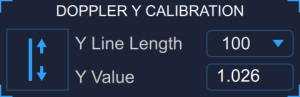
The Trace the Line [cm/sec]
button enables tracing the y calibration line (velocity).
The drop-down menu selects the length of the line used for the y calibration (cm/sec).
The numeric display shows the y-calibration value (pix/cm/sec).
I f you click in the numeric display, you can manually enter the y calibration value (to be used when the value is knows).