Patients management
The Archive Patients section allows you to manage the patients .
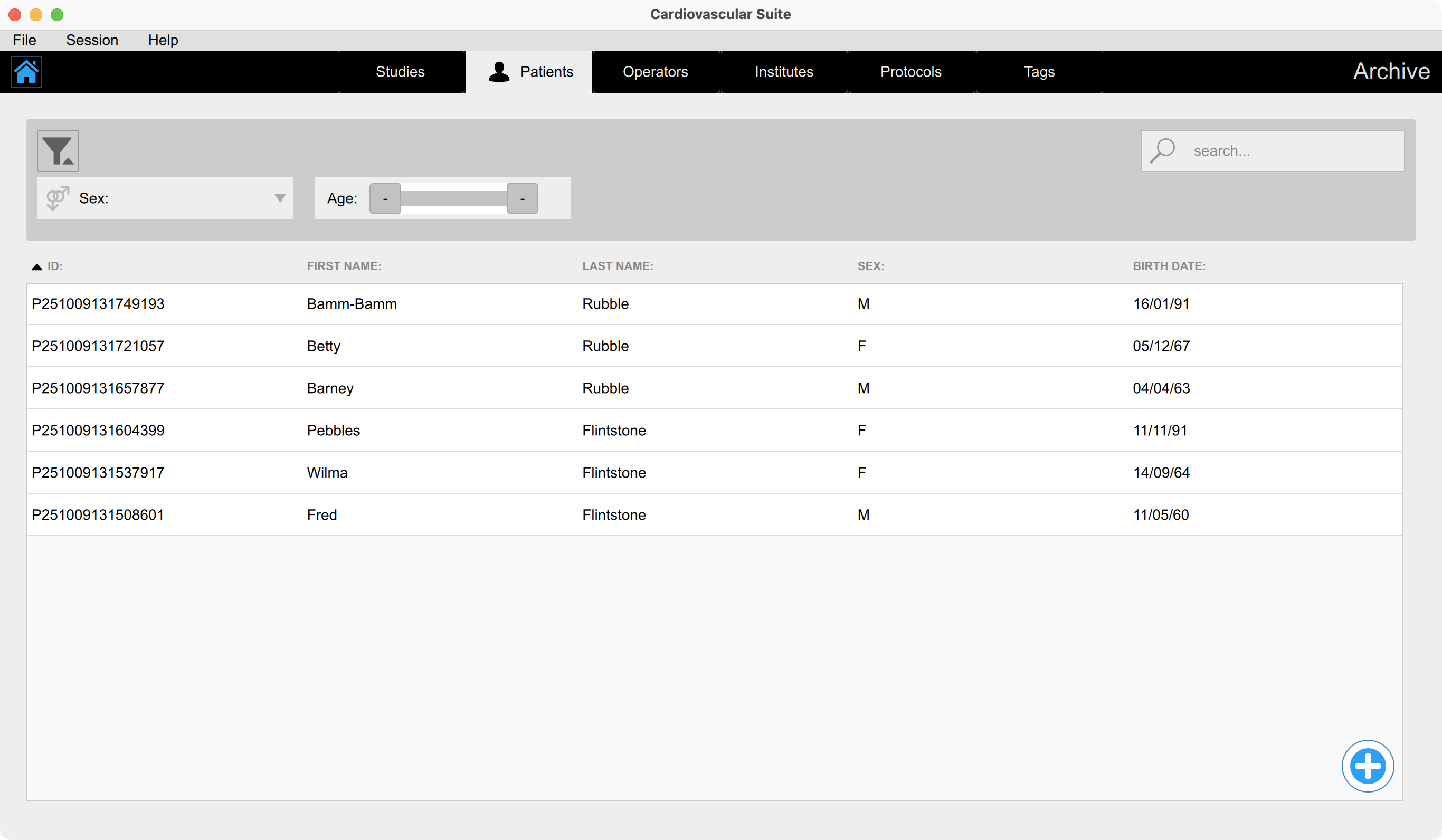
Adding a new patient
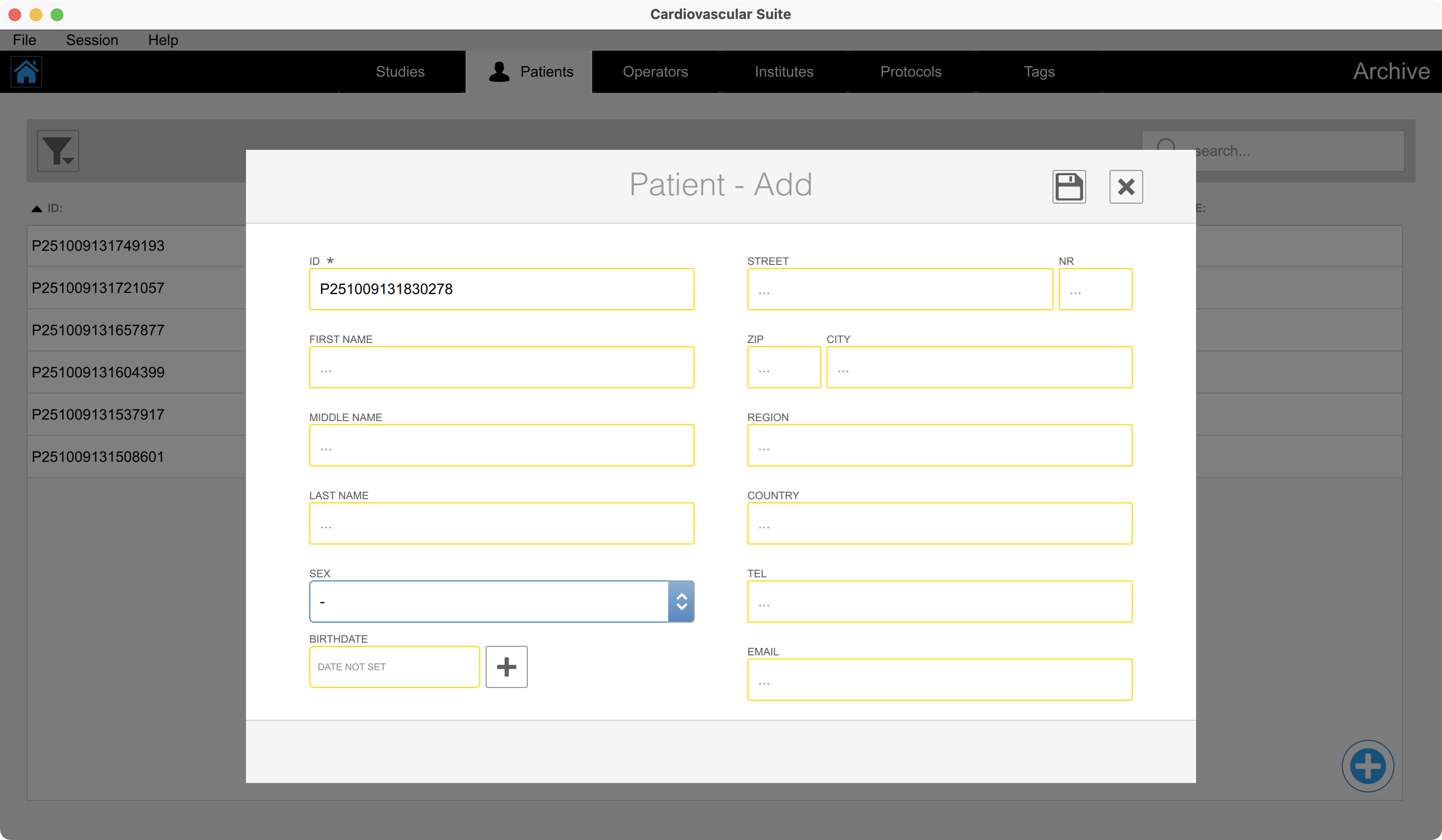
Click on the Add
 button.
Enter the patient data. The mandatory fields have an asterisk.
Click on the Save
 button to save the patient data.
Editing a patient

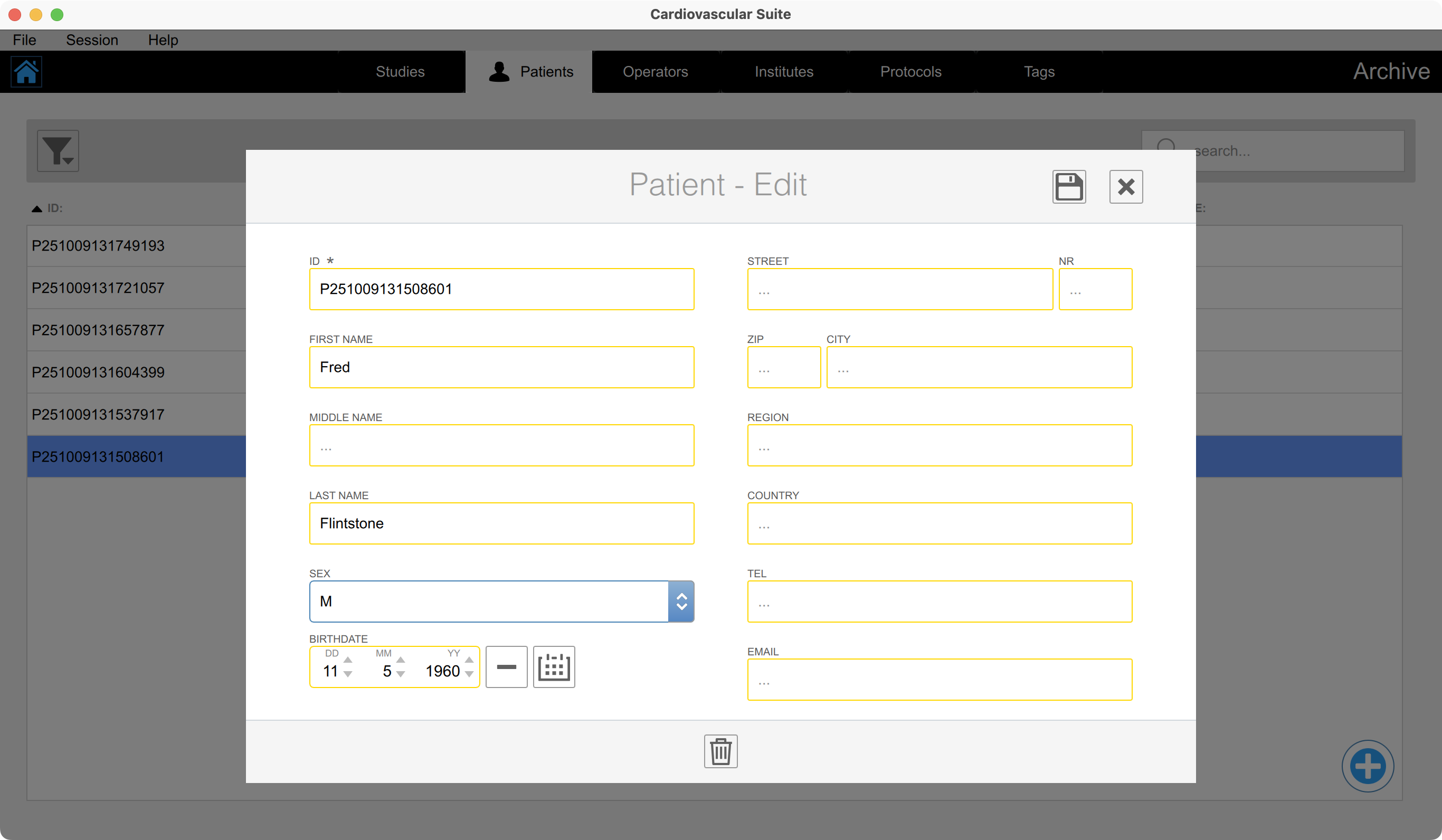
Double click the patient to be modified. The P atient View windows will open.
Click on the Edit
 button.
Modify the patient data .
Click on the Save
button to save the data.
Deleting a patient
Double click the patient to be modified. The P atient View windows will open.
Click on the Edit
button.
Click on the Delete
 button.
You cannot delete a patient that is associated with existing studies.